
Flores Love — AI floral atelier for iPhone, bouquets with real flowers
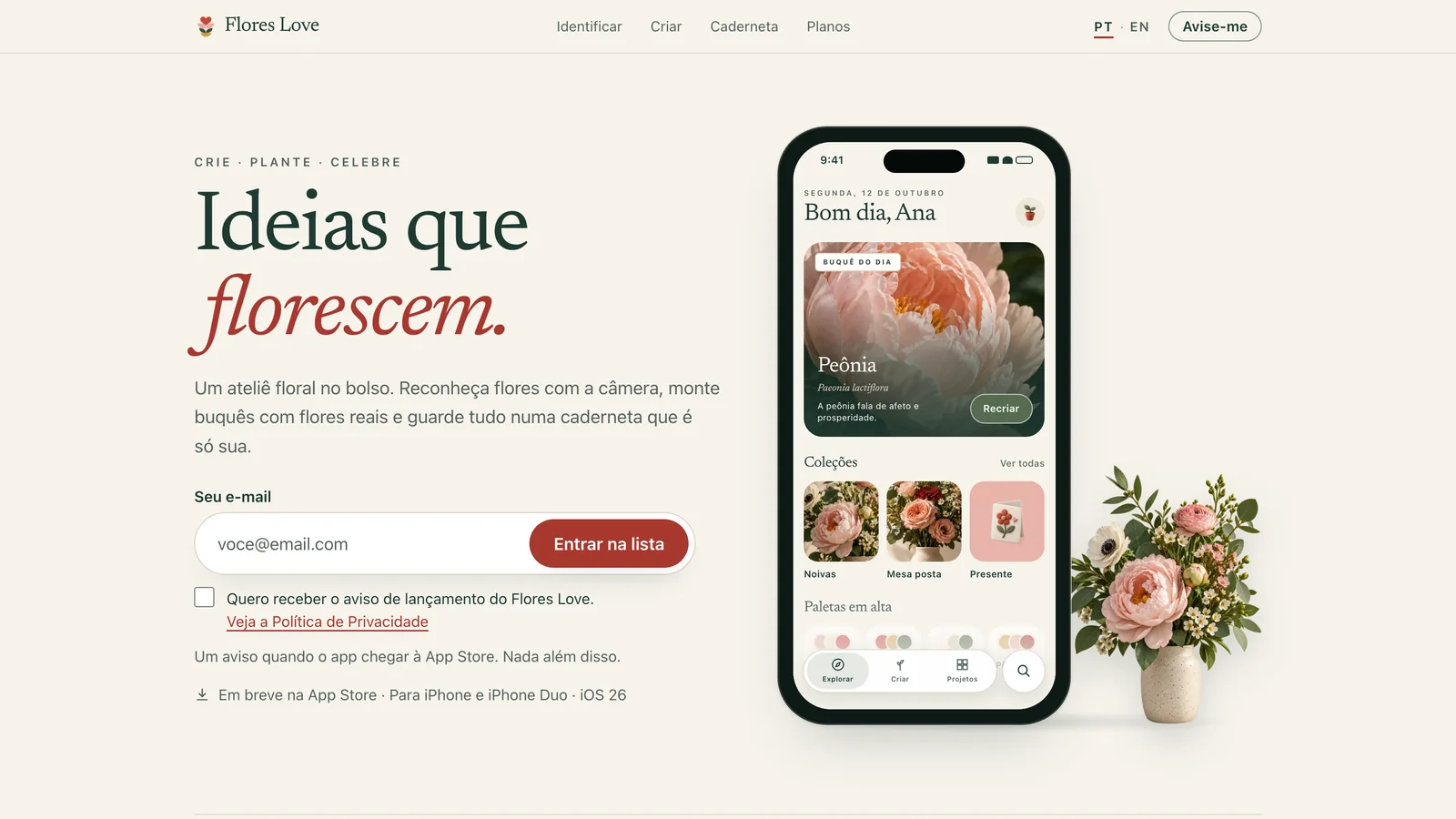
Flores Love is the floral creation app for iPhone: bouquets with real flowers, occasion palettes, camera flower identification and a notebook.
Ideas that bloom: why I built Flores Love

Flores Love started with a simple question: why does building a bouquet, choosing a wedding palette or sending flowers to someone still depend on so much improvisation? I wanted a floral atelier in your pocket: a place where you create with real flowers, keep your ideas and take the result to the table, to a client or to the screen of someone you love.
The app's motto sums up the flow: Create · Plant · Celebrate. You build bouquets and arrangements layer by layer, save species and palettes in projects that grow with you and, in the end, share them as a card, a proposal or a photo.
On video: the onboarding on iPhone Duo and the desert that blooms
The magical onboarding as it runs on the inner display of an open iPhone Duo: the film is AI-generated and finished in code, and everything on top of it (flower cards, caption, symbol, title and button) is app UI, drawn live over the video exactly as in SwiftUI. Press play.

Magical onboarding on the iPhone Duo inner display (30 s). Frame: Apple's official Design Resources bezel.
The second film, "The desert that blooms", tells the same promise another way: the little ant crosses the night in the Atacama, rain makes the desert bloom and she presses a magenta flower into the notebook, which becomes the app.
What the app does: bouquets, occasion palettes and flower identification
- Bouquets and arrangements with real flowers, built right on the iPhone from a curated catalog of flowers, foliage and vases.
- Photo cutout: lift a flower off its background with one tap and use it in your arrangement.
- Photo palette: discover the colors of an occasion from any image.
- Identify flowers with the camera: point at a flower, see the segmentation mask and get the three most likely species with a confidence score. When the app is not sure, it says so instead of guessing.
- Notebook: photo, confirmed species, date and notes stay on the device.
- Bride mode and Pro presentation: bouquet, centerpieces and wedding palette in one place, plus beautiful proposals ready to send to clients.
- See it on the table (coming soon): the arrangement in your room in augmented reality, with USDZ vases.
Design: clay 3D icons and a brand that feels handmade
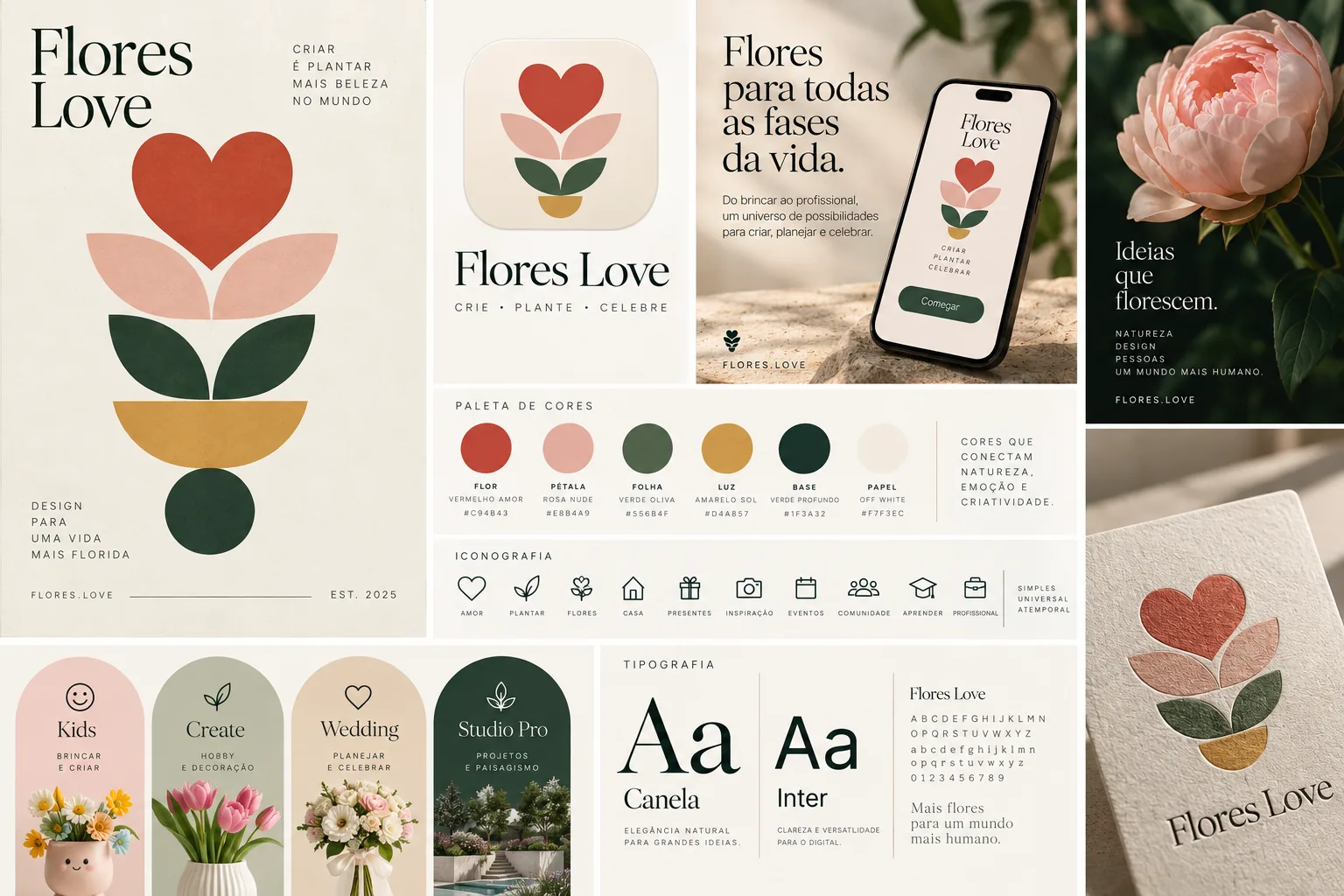
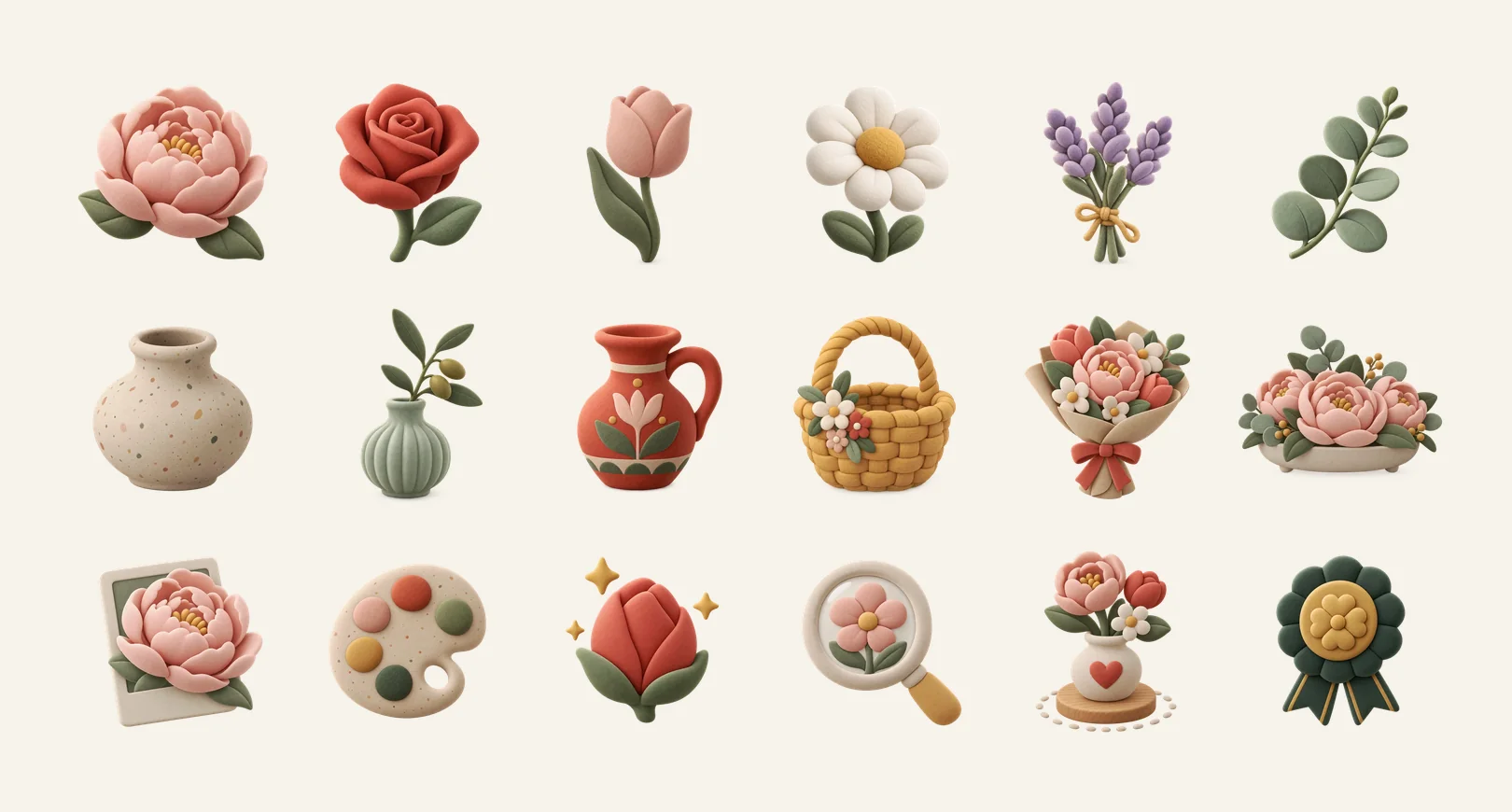
The brand uses a warm, quiet palette (paper off-white, terracotta, nude pink, olive green, eucalyptus, ochre) and two kinds of icon: felt-and-clay 3D icons for features and marketing, and SF Symbols for functional UI, because at 20 px 3D turns into a blur. The official gallery has more than thirty objects: peony, tulip, lavender, pruning shears, watering can, project notebook, flower card.
In the interface, iOS 26 Liquid Glass appears only on controls (tab bar, toolbars, sheets). Content (canvas, photos, cards) stays solid, and everything respects Reduce Transparency and Reduce Motion.
Magical onboarding: a video instead of three screens of text
The first contact with the app is not a form: it is a short video of about 22 seconds, generated with AI and finished in code. A dandelion seed breaks free, lands next to a little ant (the app's original mascot), and the two fly over a field of peonies, roses, daisies, tulips and lavender until they land on a notebook page.
The "wow" moment is the code-drawn layer on top of the video: outlines, keypoints and cards with the common name and the scientific name appear over the real flowers in the frame. It shows, without explaining, that the app understands plants. The cards are native UI, so they change language and respect accessibility without re-rendering the video. The video was produced in two formats: vertical for iPhone and 4:3 for iPhone Duo.
Engineering: Apple on-device first, cloud only when needed
The app is native Swift and SwiftUI, targeting iOS 26 with iOS 27 features behind availability checks. The rule behind every AI feature is: on-device → Private Cloud Compute → Hub.
- Vision cuts the flower out of the photo and generates the segmentation mask.
- Core Image extracts the palette from any image.
- Core ML runs the species classifier on the device, with calibrated confidence.
- Foundation Models write descriptions, care tips and notebook summaries.
- RealityKit places vases and arrangements on the table, in AR.
The Ander Inference Hub, my inference infrastructure, only steps in where there is real cost: realistic rendering, a larger identification model and community search, always with a quota per plan. Projects are saved on the device and assets arrive on demand. The catalog lives in an API on Cloudflare Workers with D1 and R2, and no provider key ever ships inside the app.
Botanical dataset: a generated image is not the source of truth
One principle of the project is that scientific names and taxonomy never come from AI. The official dataset of flowers, foliage and vases has a versioned schema, every item cites its sources and goes through human review before entering the catalog. Images and curation are ours; taxonomy comes from cited open databases.
The same care applies to the plans: a monthly Plus and a yearly Pro, never promising "unlimited". The copy says "up to X", "expanded" and "priority", and Pro is billed once a year.
Flores Love status and next steps
Flores Love is an independent product, separate from Styli, and is in development. The monorepo holds the landing (Next.js on Vercel), the design tokens as a single source of truth, the dataset, the 3D icon gallery and the iOS app. The first milestone is the vertical slice of the editor: create, edit, save, close, reopen and export an arrangement without losing work.
After that come the App Store launch for iPhone, the See it on the table AR mode and, with shared contracts and catalog, the native Android version.